7 Mistakes You're Making with Event Internet (and How to Fix Them Before Your Next Show)
Event WiFi seems simple enough, just get some internet, plug it in, job done. But if you've ever watched payment systems freeze during peak sales, or seen guests frantically waving their phones around hunting for signal, you know it's not that straightforward.
Most event internet disasters aren't mysterious technical failures. They're predictable problems that happen when organisers make the same seven mistakes, over and over again. The good news? Every single one is fixable with a bit of planning.
Here's what's probably going wrong with your event connectivity, and exactly how to sort it out before your next show.
Mistake #1: Guessing Your Bandwidth Needs
The Problem: You count heads and multiply by "a bit of internet per person." Seems logical, but it's like planning catering based only on how many mouths you're feeding, ignoring whether they're toddlers or rugby players.
Your 500-person networking event could need anything from 100Mbps to 1Gbps, depending on what people are actually doing. Live streaming a keynote? Video calls with remote attendees? Multiple vendors running card readers? Those Instagram-worthy food photos everyone's uploading? Each activity has wildly different bandwidth appetite.
The Fix: Think usage, not just users. Start with 2-4 devices per person (phone, laptop, maybe tablet, plus vendor terminals). Then consider peak activities, registration queues, lunch breaks, main presentations. Add 25-50% headroom because Murphy's Law loves events.
If you're running anything mission-critical (payments, live streaming, digital check-ins), don't guess. Talk to someone who's done this before.
Mistake #2: Putting All Your Eggs in One WiFi Band
The Problem: Running everything on one frequency band, usually 2.4GHz because "it goes further", creates congestion nightmares. It's like forcing all your event traffic through one narrow doorway when you could open up the whole wall.
2.4GHz has decent range but gets clogged easily, especially when competing with Bluetooth, microwaves, and other wireless kit. 5GHz is faster but doesn't travel as far. Use just one, and you'll get dead zones, slow speeds, or both.
The Fix: Deploy dual-band or tri-band setups. Let devices connect to whatever frequency works best for their location and needs. Modern access points handle this automatically, your guests just see one network name, but the system intelligently routes them to the clearest signal.

Mistake #3: Skipping the Site Survey
The Problem: You rock up on event day, scatter some access points around "where they look about right," and hope for the best. Then you discover the metal exhibition stands create WiFi black holes, or the LED video wall is jamming half your signals.
Every venue has quirks, thick walls, interference sources, weird architectural features that block or bounce radio signals. Without mapping this first, you're setting up blind.
The Fix: Do a proper site survey before event day. Walk the space, test signal strength, identify interference sources, and plan access point placement accordingly. For complex venues, warehouses, outdoor sites, multi-level spaces, this isn't optional, it's essential.
A good survey maps coverage zones, tests for interference, and calculates how many access points you actually need. It's the difference between "fingers crossed" and "we know this will work."
Mistake #4: Trusting Venue WiFi for Your Event
The Problem: The venue promises "free WiFi for all your guests", sounds brilliant, saves money, what could go wrong? Everything, when 800 people try connecting to a system designed for 50 hotel guests checking email.
Venue networks are built for normal daily use, not event crowds. They typically limit users per access point, throttle heavy usage, and offer zero control over priority traffic. When your payment systems compete with guests streaming cat videos, guess who wins?
The Fix: Bring your own network. A dedicated event WiFi system gives you control over bandwidth allocation, user limits, and traffic priorities. Your POS terminals get guaranteed connectivity, not whatever's left after everyone else downloads conference apps.
Yes, it costs more than "free" venue WiFi. But so does losing sales when your payment system crashes during the evening rush.
Mistake #5: Having No Backup Plan
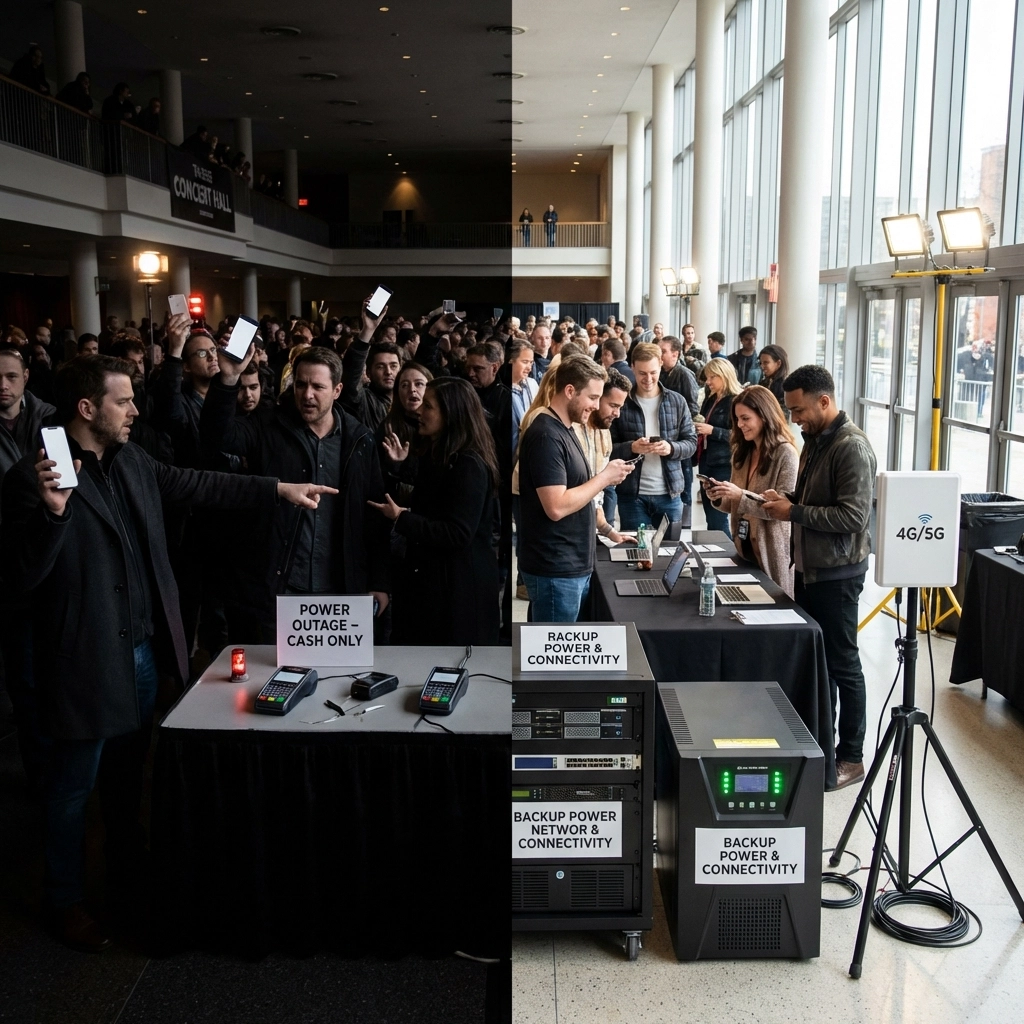
The Problem: Your entire event depends on one internet connection. When (not if) something goes wrong: power cut, ISP hiccup, someone accidentally unplugging the wrong cable: everything stops. No backup, no plan B, just chaos.
The worst part? These failures always happen during your busiest periods, because that's when systems get stressed and Murphy's Law kicks in.
The Fix: Build in redundancy from day one. 4G/5G failover systems kick in automatically when your main connection drops. Dual-ISP setups mean if one provider has problems, you seamlessly switch to another. Battery backup keeps access points running through power glitches.
Run failover tests during setup, not during your event. And make sure someone knows how to switch systems manually if auto-failover doesn't work.
Mistake #6: Being Vague About Your Real Needs
The Problem: You tell your WiFi provider "we need internet for 300 people" and leave it at that. But those 300 people might include exhibitors running live demos, speakers streaming video content, catering staff processing hundreds of transactions, and guests uploading high-res photos continuously.
When providers don't know what your event actually does, they spec for basic web browsing and email. Then reality hits and everything falls apart.
The Fix: Be specific about critical functions. Tell your provider about payment systems that need guaranteed bandwidth, live streaming that can't afford dropouts, and registration systems handling queue bottlenecks. List the apps guests will download, the peak simultaneous usage periods, and what happens if connectivity fails.
Good providers will ask detailed questions about your event schedule, vendor requirements, and mission-critical systems. If they don't ask, keep looking.
Mistake #7: Testing Nothing Until It's Too Late
The Problem: You assume everything will work because it worked in the office, or the provider says they've "done this before." Then you discover on event morning that the registration app won't load, payment terminals can't connect, or the WiFi password doesn't actually work.
Configuration errors, authentication problems, and app compatibility issues are common. Finding them at showtime is a disaster.
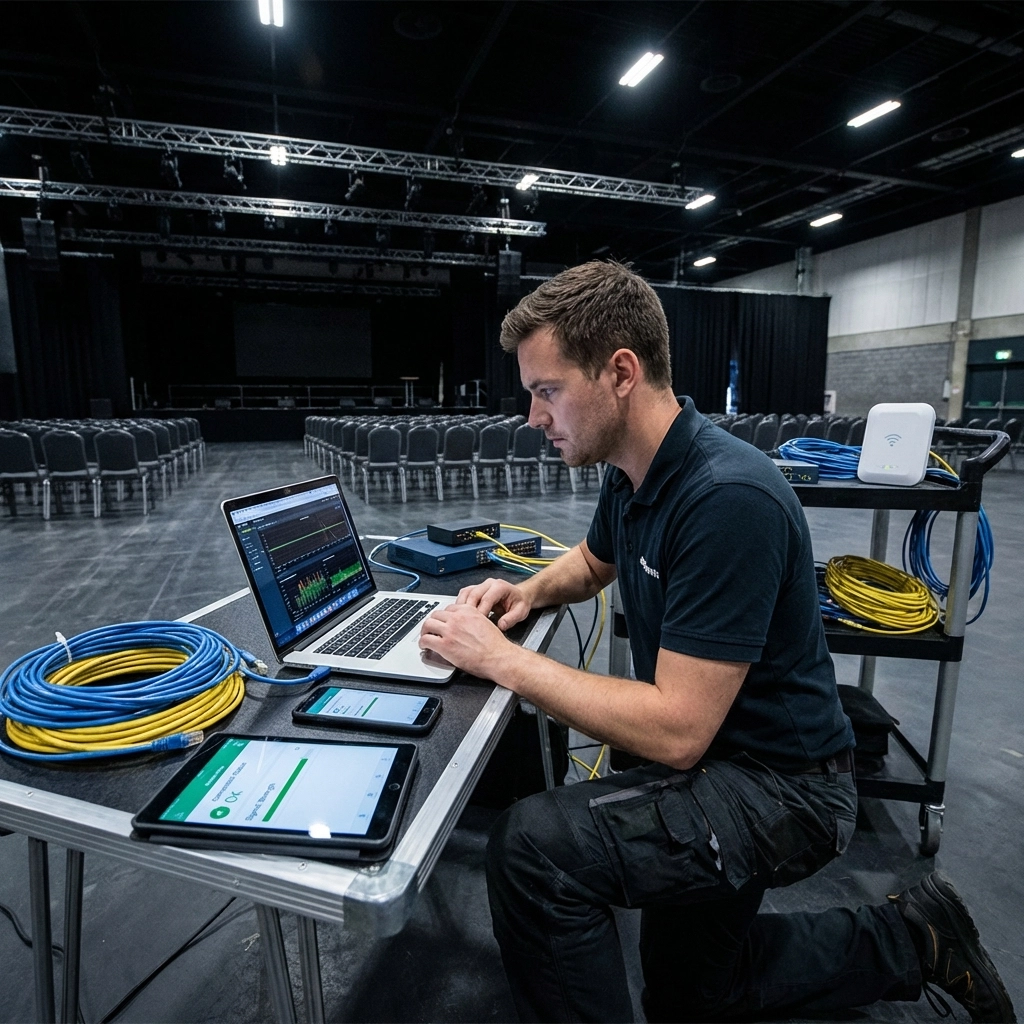
The Fix: Test everything, twice, before guests arrive. Check that all critical systems connect properly, authentication works smoothly, and performance holds up under realistic loads. If possible, run stress tests with multiple devices simultaneously downloading and uploading.
Have a qualified engineer available during your event: someone who can diagnose and fix problems quickly without restarting your entire show. Network troubleshooting is specialist work, not something you want to figure out while your event is live.
The Reality Check
Here's the thing about event internet: when it works, nobody notices. When it doesn't, it's all anyone remembers. Guests forgive a lot: long queues, lukewarm coffee, even slightly boring speakers. But they don't forgive being unable to pay for things, access digital tickets, or share their experience online.
Most of these mistakes happen because organisers treat WiFi as an afterthought rather than event infrastructure. It's not just "nice to have" anymore: it's as essential as power, lighting, and security.
The good news? Every problem on this list is solvable with proper planning and the right expertise. You don't need to become a network engineer, but you do need to work with people who understand that event connectivity is different from office IT.
Whether you're running a small networking breakfast or a massive trade show, reliable internet isn't optional anymore. Get it right, and your event runs smoothly. Get it wrong, and nothing else matters.
Ready to get your event connectivity sorted properly?Get in touch with Commsuk: we've been solving these exact problems for event organisers across the UK. No jargon, no overselling, just straightforward advice and rock-solid networks that actually work when it matters.
Comments