7 Mistakes You're Making with Event Stress Testing (and How to Fix Them)
If you’ve ever stood in the middle of a packed exhibition hall, watching a queue of frustrated attendees grow while your payment terminals spin endlessly on "Connecting...", you know the cold sweat of event WiFi failure.
I’m James Lunnon, Managing Director at Commsuk Limited, and I’ve seen this scenario play out more times than I’d like to admit. Usually, the organiser tells me the same thing: "But James, we tested it yesterday! The speeds were lightning-fast!"
And that’s the problem. Testing that your WiFi "works" is not the same as stress testing it for a live event. A speed test in an empty room is about as useful as testing a race car in a car park: it doesn’t tell you what happens when the heat is on and the track is crowded.
At Commsuk, we live and breathe event connectivity. We know that the difference between a seamless event and a PR nightmare often comes down to how you stress test. Here are the seven most common mistakes we see organisers making, and more importantly, how you can fix them before the doors open.
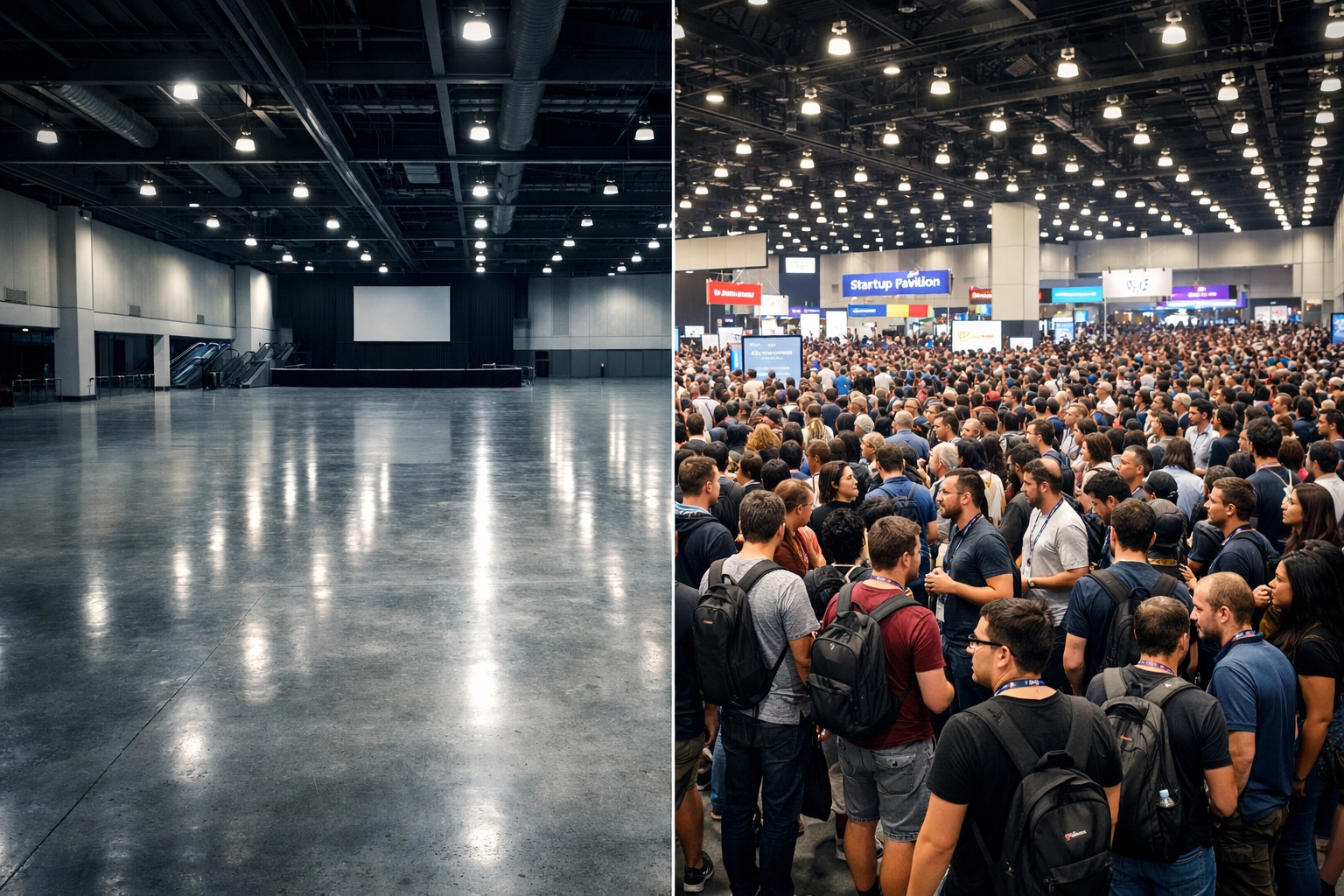
1. The "Ghost Town" Fallacy: Testing in an Empty Room
This is the number one mistake in the industry. You set up your routers, walk around the empty venue with your laptop, hit 200Mbps on a speed test, and call it a day.
The Mistake: You aren’t accounting for the "meat bags." Humans are roughly 70% water, and water is incredibly effective at absorbing 2.4GHz and 5GHz radio signals (the same frequencies your WiFi uses).
The Fix: When a room fills with 500 people, the RF (Radio Frequency) environment changes completely. You need to account for "signal attenuation." Since you can't always bring in 500 volunteers for a test, you need to over-spec your Access Point (AP) density and height. At Commsuk, we use predictive modelling to simulate how signal strength will drop once the crowd arrives. Don't just test for coverage; test for capacity.
2. Ignoring "The Gadget Gap": Not Testing Actual Devices
I’ve seen organisers run stress tests using the latest iPhone or a high-end MacBook Pro. Those devices have fantastic antennas. Your ticket scanners and PDQ (payment) terminals? Not so much.
The Mistake: Many PDQ machines and handheld scanners use cheaper, older WiFi chips with tiny antennas. Just because your iPhone has four bars doesn't mean the entry-gate scanner can see the network. If your scanners fail, your queues stall. If your PDQs fail, you lose money.
The Fix: Stress test with the exact hardware you’ll be using on the day. Take those specific scanners to the furthest corner of the room, behind a pillar, or near a heavy power cable, and see if they still hold a connection. If you're worried about payment reliability, check out our guide on why WiFi setup can impact your revenue.
3. The "Noisy Neighbor" Blind Spot: Forgetting Interference
You might have a clean environment during setup, but what happens when the exhibitors arrive?
The Mistake: Many exhibitors bring their own "travel routers" or use their phones as hotspots. Some might even bring heavy machinery or LED walls that kick out massive amounts of electronic noise. This "RF noise" can drown out your official event WiFi, leading to dropped connections and high latency.
The Fix: You need to perform a "Spectrum Analysis." This isn't just seeing which WiFi networks are active; it’s looking for non-WiFi interference too. We recommend enforcing a "No Rogue AP" policy for exhibitors and using professional-grade equipment that can automatically shift channels to avoid the noise.
4. Testing for Average, Not Peak
Most event WiFi usage isn't a steady stream; it’s a series of violent spikes.
The Mistake: You test the network by browsing a few websites. But at an event, everyone tries to log on at once: usually during the keynote intro or when the lunch break starts. This is "DHCP exhaustion" or "Airtime Fairness" failure. The system works fine for 50 people, but it chokes when 500 try to authenticate in the same sixty-second window.
The Fix: You need to simulate a "burst" load. Professional stress testing involves using software tools to simulate hundreds of concurrent "handshakes" with the Access Points. If you’re planning an event in a challenging or remote location, you need a setup designed for these peaks. We’ve handled this in some of the most rural event locations imaginable.
5. Underestimating the "Backhaul"
Think of your WiFi as a series of taps in a house. You can have the most expensive, high-flow taps (Access Points) in the world, but if the pipe connecting your house to the street (the Backhaul) is the size of a drinking straw, you’re in trouble.
The Mistake: Organisers often focus on the "internal" WiFi speed but forget to stress test the actual internet line coming into the building. If you have 1,000 people trying to upload Instagram stories simultaneously, a standard 100Mbps business line will fall over.
The Fix: Calculate your required bandwidth based on expected attendance and usage types (e.g., video streaming vs. simple browsing). Then, stress test that line. At Commsuk, we often bring in dedicated temporary fiber or high-capacity satellite links to ensure the "pipe" is big enough for the "taps." Read more about how we bring fiber-fast WiFi to the middle of nowhere.
6. Skipping the "Failure Mode" Test
What happens when something goes wrong? Because, let’s be honest, in the world of live events, something eventually will.
The Mistake: Assuming that because the system is "up," it is "redundant." Organisers rarely test what happens if one Access Point loses power or one data cable gets tripped over.
The Fix: Part of a real stress test is "Chaos Engineering." Unplug an Access Point in the middle of a high-traffic zone. Does the AP next to it pick up the slack? Does the network "self-heal," or does that entire corner of the exhibition go dark? We design our networks with overlap so that a single point of failure doesn't become a total blackout.
7. The "Set and Forget" Mentality
Stress testing shouldn't end when the doors open.
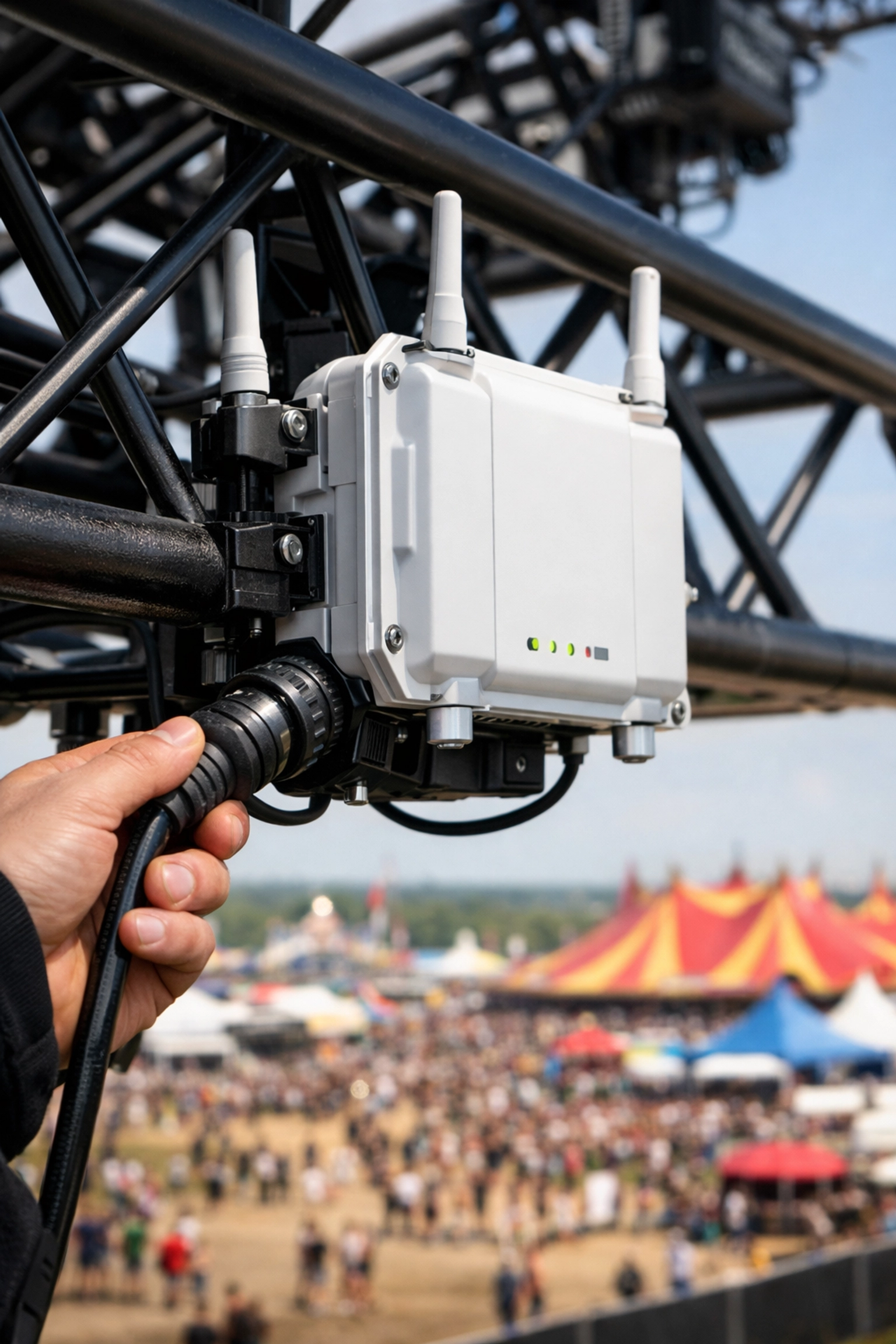
The Mistake: Many organisers treat stress testing as a "pre-flight check" only. Once the event starts, they stop looking at the metrics until someone complains. By the time an attendee complains, you've already lost the battle.
The Fix: Real-time monitoring is the final stage of stress testing. You should have a dashboard showing you exactly how much "airtime" is being used, which APs are reaching capacity, and where interference is spiking. This allows you to make proactive adjustments: like tweaking power levels or reassigning channels: before the users even notice a slowdown.
How Commsuk Takes the Weight Off Your Shoulders
I know what you’re thinking: "James, I’m an event organiser, not a network engineer. I don't have time to do spectrum analysis and chaos engineering."
And you shouldn’t have to.
At Commsuk Limited, our job is to make sure you never have to worry about these seven mistakes. We don't just "provide WiFi"; we engineer connectivity. When we partner with an event, we handle the heavy lifting:
Custom Site Surveys: We look at the physical layout and the RF environment before we even unload a van.
Realistic Load Testing: We use professional tools to simulate thousands of devices, ensuring your "peak" is our "normal."
Hardware Matching: We make sure your specific PDQs and scanners work perfectly, not just our laptops.
24/7 Monitoring: Our engineers are on-site or remote-monitoring your network every second the event is live.
Whether you're running a boutique corporate retreat or a massive street market with thousands of attendees, the goal is the same: Reassuring, rock-solid connectivity that just works.
Ready to stress-test your next event the right way?
Don't leave your reputation to chance. If you want to make sure your next event is truly "stress-proof," we’re here to help.
New to Commsuk? Check out our services sitemap to see how we can support your specific event type.
Current Client? Let's make sure your next setup is even better. Book a 1-to-1 appointment with the team to discuss your upcoming requirements.
Events are stressful enough. Your WiFi shouldn't be. Let us handle the tech, so you can focus on the show.
Comments