Autumn Conference Season: Planning WiFi for Multi-Room Programmes and Breakout Sessions
Autumn conferences rarely happen in just one room.
Your programme may include a main plenary, several breakout sessions, an exhibition hall, registration desks, speaker green rooms and a production office. Add hybrid streaming, event apps, exhibitor demos and staff communications, and the network has to support very different demands at the same time.
That is why a setup with “good WiFi in the main hall” can still fail across the rest of the venue.
Effective event Wi-Fi planning starts with understanding how people move through the building, where demand will peak and which services cannot afford to drop.
The multi-room problem
At a single-room event, most attendees stay in one place. The network can be designed around a fairly predictable concentration of users.
A conference audience behaves differently.
Delegates move from the plenary to breakout rooms. They gather in corridors between sessions. They return to the exhibition hall during breaks. Speakers move between green rooms, stages and meeting spaces. Production teams may be working throughout the building.
Every movement creates a change in network demand.
A breakout room that was nearly empty during the first session may be full during the next. The exhibition hall may go from quiet to heavily used within minutes. Registration areas can experience a sudden spike just before the opening keynote.
Your event connectivity needs to handle those changes without relying on attendees to reconnect manually or find a stronger signal.
Why roaming between rooms can break connections
A venue may have WiFi coverage across the building, but coverage alone does not guarantee a smooth experience.
Different rooms may be served by different access points, networks or internet connections. If those systems are not designed to work together, a delegate walking from one area to another may experience:
A dropped video call
A stalled event app
A forced login
A payment or registration delay
A device that stays attached to a distant, overloaded access point
A lost connection when moving through a corridor or doorway
For attendees, this often feels like “the WiFi is bad”. In reality, the issue may be poor roaming design, overloaded access points or inconsistent network settings between rooms.
A multi-room conference should be treated as one connected environment, not a collection of separate rooms.
Where appropriate, use consistent networks for each user group across the venue. Delegate devices should not need to switch networks every time they move to a different session. Staff and production teams should have their own protected access, with the right priority and security settings in every operational area.
A practical roaming test is simple: walk the venue with a typical phone or laptop before doors open. Test the route from the plenary to each breakout room, the exhibition hall, registration and the green room. Check whether calls, streams and app sessions remain stable.
Plan capacity room by room
One of the most common mistakes in venue wifi planning is to estimate requirements from the total number of attendees alone.
A 400-person conference does not create the same demand in every part of the venue.
Start by mapping the programme onto the floor plan:
Main plenary room
Breakout rooms
Registration and entrance areas
Exhibition and sponsor spaces
Speaker and green rooms
Production and AV areas
Organiser offices
Catering and informal networking areas
Then estimate the number of people and devices in each zone.
Many delegates will carry a phone and a laptop, and some may also use a tablet or wearable device. Not every device will be active at the same time, but planning for only one device per attendee can leave very little headroom.
Each room also needs a usage profile.
A breakout room used for presentations and polling has different needs from a production room uploading video. An exhibition hall may have hundreds of attendee devices alongside payment terminals, live product demonstrations and cloud-based lead capture systems.
The goal is not simply to make sure every room has a strong signal. It is to make sure each room has enough capacity for the activity taking place there.
The Cisco event Wi-Fi guidance is a useful reference for thinking about capacity, access point placement and high-density environments.

Give hybrid sessions their own network plan
Hybrid conferences add another layer of pressure.
A single streaming room may need a stable upload for the programme feed, presenter video, remote speakers, audience questions and monitoring. If several breakout rooms are streamed at once, those demands multiply.
Streaming traffic should not be treated as an afterthought or left to compete equally with general guest browsing.
For a reliable hybrid event network, plan:
Which rooms will stream
Whether each room has its own production setup
How much upload bandwidth each stream requires
Whether cameras, encoders and presentation systems can use wired connections
Which traffic must receive priority
What happens if the main connection becomes unstable
Where possible, connect fixed production equipment by cable rather than WiFi. A wired connection from an encoder or production laptop removes one source of uncertainty.
Streaming and production traffic should also be separated from general delegate traffic. This helps protect the live programme when attendees begin downloading presentations, uploading photos or joining video calls during a break.
If four rooms are streaming at the same time, the network must support the combined demand, not just the requirements of the largest room.
Keep exhibitor traffic separate
Exhibition halls often look quiet on the floor plan but become one of the busiest parts of a conference.
Exhibitors may be running:
Live product demonstrations
Cloud software platforms
Video presentations
Card payment systems
Lead capture tools
Video calls with colleagues or customers
Real-time CRM updates
At the same time, delegates are using the event app, scanning QR codes, downloading information and sharing content.
A shared guest network can quickly become congested. If an exhibitor’s demo fails, the issue affects more than one conversation. It can undermine confidence in the event and make sponsors question the value of returning.
Dedicated or appropriately segmented booth connectivity gives exhibitors a more dependable environment. It also means one busy stand is less likely to affect the rest of the hall.
Commsuk’s article on dedicated booth WiFi explains why exhibitor connectivity deserves its own plan.
Put staff and production communications on a separate network
Your public WiFi is not the only network that matters.
Organisers, venue teams, security staff, technicians and production crews need to communicate throughout the day. They may be using messaging tools, cloud documents, show-calling systems, ticketing platforms or internal dashboards.
That traffic should be separated from attendee access.
A staff and production network can be configured with different access rules and priority. It should remain usable when the plenary is full and hundreds of delegates are online.
This is particularly important for teams moving between rooms. A production manager should not lose access to essential systems simply because they have walked from the stage to the control room.
The same principle applies to registration and ticket scanning. These systems should be planned as operationally critical, rather than treated as another group of guest devices.
Why a pre-event site survey matters
A venue floor plan cannot show everything that affects WiFi performance.
A proper site survey can identify:
Thick walls and unusual building materials
Existing access points and potential interference
Areas with limited cable routes
Suitable equipment and antenna positions
Power availability
Signal changes between rooms and corridors
Outdoor or temporary areas that need connectivity
Limitations in the venue’s existing internet service
The survey should also look at how the event will operate, not just where equipment can be placed.
Where will queues form? Which doors will remain open? Will exhibition stands use their own routers? Will the production team need access in a basement or loading area? Are there multiple events taking place in the building at the same time?
These details affect the final design.
It is worth starting the process several weeks before the conference, particularly if the programme includes multiple streamed rooms or a large exhibition. The earlier the network plan is agreed, the more time there is to resolve access, power, cabling and venue coordination issues.
Monitoring matters once the doors open
A network can perform well during an empty-room test and behave very differently when the event begins.
People bring their own devices. Exhibitors add equipment. Rooms fill and empty. Interference changes. Usage rises sharply during breaks. A cable may be moved or a power source may fail.
That is why on-site monitoring matters.
A managed team can see changes in demand, identify problem areas and respond before a small issue becomes a visible failure. If one access point becomes overloaded, traffic can be adjusted. If an exhibitor introduces interference, the cause can be investigated. If an uplink starts to struggle, there is someone available to act.
This is very different from installing equipment the night before and hoping it continues to work.
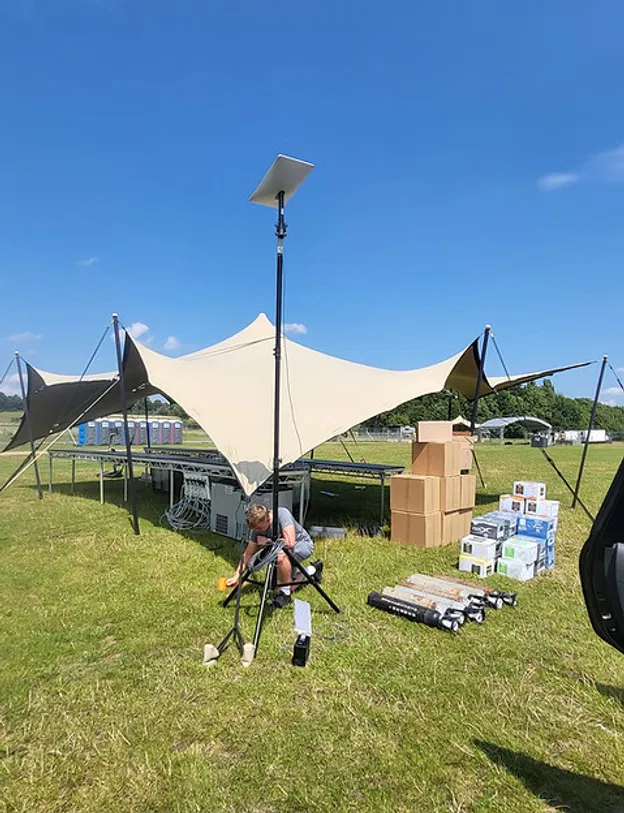
Commsuk provides fully managed event WiFi, from pre-event planning and installation through to monitoring and teardown. For venues where fixed infrastructure is limited, satellite connectivity can also provide fast deployment without waiting for a new broadband installation. See how Commsuk uses satellite internet for event WiFi.
A practical planning checklist
Before finalising your autumn conference network, check that you have:
Mapped the full programme to individual rooms and zones
Estimated attendees and devices for each area
Identified peak movement between sessions
Planned roaming routes between rooms
Separated guest, exhibitor, staff and production traffic
Calculated bandwidth for every hybrid stream
Confirmed wired connections for critical production equipment
Checked registration, payment and ticketing requirements
Completed a pre-event site survey
Tested the network under realistic load
Arranged on-site monitoring and support
Confirmed backup connectivity for critical services
The main takeaway is simple: conference WiFi should be planned around the way the event moves.
A reliable main hall is not enough. Your delegates, exhibitors, speakers and production teams need consistent access across the whole programme, with the right capacity and priority in every room.
With the right event Wi-Fi planning, a pre-event survey, active monitoring and built-in backups, connectivity becomes one less thing for your team to worry about.
Comments