Event WiFi Load Testing: How to Know Your Network Will Hold Before the Doors Open
A network can feel perfectly healthy when a venue is empty.
Your team can connect laptops. A card reader can process a test payment. A few staff members can open the event app without any obvious problems.
Then the doors open.
Guests arrive with phones, tablets and smartwatches. Staff log into operational systems. Exhibitors start taking payments. Ticket scanners begin processing arrivals. Suppliers connect laptops. Someone starts a live stream.
Suddenly, the quiet network is carrying everything at once.
That is why event Wi-Fi load testing matters. It helps you find out how your network behaves under realistic pressure, before a busy event exposes the weak points.
Why an empty venue can be misleading
Testing WiFi in an empty venue only tells you that the network works in light conditions.
It does not tell you what happens when hundreds or thousands of devices are competing for access at the same time.
The pressure comes from more than simple browsing. Devices may be:
Connecting and authenticating at the same time
Syncing event apps and cloud systems
Processing ticket scans
Taking card payments
Uploading photos and videos
Streaming presentations or performances
Roaming between access points
Reconnecting after moving through the venue
Sending repeated requests when an application is slow
Each task may be small on its own. Together, they create bursts of demand that can affect speed, latency and reliability.
This is especially important during short, high-pressure windows. A network might cope with a steady crowd but struggle when hundreds of guests arrive within 20 minutes.
A successful event does not just need WiFi that works. It needs event connectivity that continues to work when the event is busiest.
What should you model before testing?
The first step in good event Wi-Fi planning is to build a realistic picture of demand.
Start with your expected attendance. Then think beyond the number of people in the room.
A useful planning exercise includes:
Expected attendees
Staff and production teams
Exhibitors, traders and suppliers
Ticket scanners and registration desks
Payment terminals and point-of-sale systems
Laptops, tablets and operational devices
Guest phones and personal devices
Streaming, AV and content production equipment
As a broad planning guide, many events should allow for around two devices per attendee. That does not mean every device will be actively transferring data all the time, but it gives you a safer starting point than assuming one device per person.
You should also estimate how many devices will be active at the same moment. For example:
1,000 guests
Around 2,000 guest devices
60–80% active during the busiest period
Plus staff, exhibitors, scanners, payment terminals and event systems
Plus additional capacity for unexpected spikes
The exact numbers will vary. A corporate event, a festival and an exhibition will all create different traffic patterns.
The important point is to model the real event, not an idealised version of it.
A site survey is not a live load test
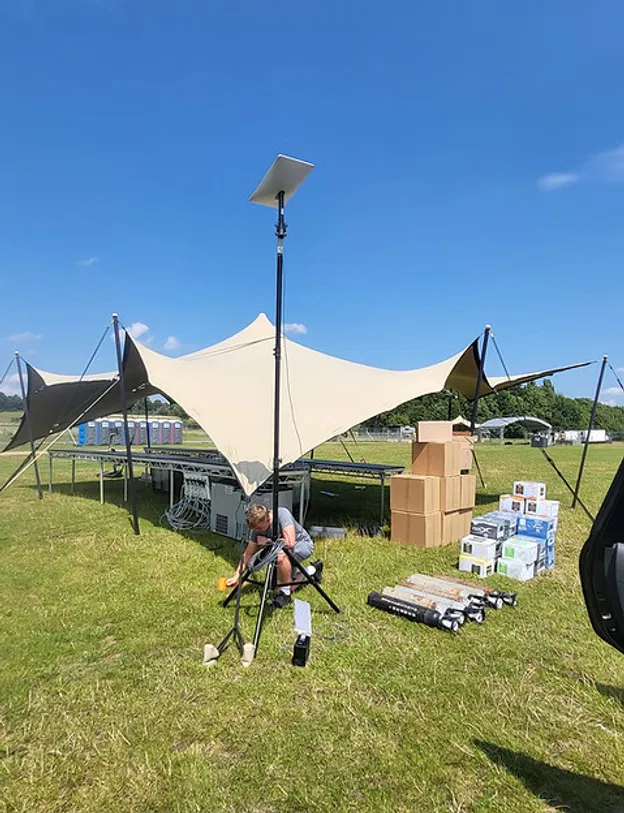
A site survey and a load test are both valuable, but they answer different questions.
A site survey looks at the physical environment. It helps identify:
Where access points should be positioned
Potential coverage gaps
Building materials and obstructions
Interference from nearby equipment
Suitable locations for network equipment
Areas likely to have higher device density
In simple terms, a site survey asks:
Can the signal reach the places where people need it?
A live load test asks:
Will the network still perform when lots of people and devices use it at the same time?
A network can have excellent coverage and still struggle under load. Guests might see a strong signal on their phone but experience slow logins, failed payments or delayed ticket scans.
That is why venue WiFi planning should not stop at heat maps and signal strength. Coverage is only part of the picture. Capacity, traffic prioritisation and application performance matter too.
Test the moments that matter most
Average usage is rarely the biggest risk.
The most useful test scenarios are the moments when demand rises suddenly. These are your event’s pressure points.
Depending on the format, they may include:
Doors opening
Ticket scanners, registration desks and guest devices all become active at once.
This can create a burst of authentication requests, app traffic and ticket lookups. Test the expected arrival rate, not just a few individual scans.
Interval or room changeover
When a session ends, many people move at the same time. Devices disconnect from one access point and reconnect to another.
That creates a short period of intense roaming and re-authentication. It is worth testing with people physically walking through the venue, rather than keeping every test device stationary.
Headline act or main presentation
A major moment can trigger live streaming, social posts, video uploads and increased use of event apps.
If the network also supports production systems, staff communications or streaming equipment, those services need to remain protected while guest usage increases.
Last order or peak trading
At food, retail and hospitality events, payment activity may peak at a predictable time.
Payment terminals need a responsive connection even if guests are also browsing, streaming or uploading content nearby.
A good test recreates these moments as closely as possible. It does not simply run one speed test in an empty hall.
Rehearse ticketing and payments under pressure
A network test should include the applications people rely on, not just the underlying connection.
For ticketing, test:
All scanners connected at the same time
Repeated scans at the expected entry rate
Valid and invalid tickets
Ticket lookups and synchronisation
Multiple entry points operating together
Reconnection after a device temporarily loses signal
For payments, test:
Multiple terminals processing transactions together
Tap and chip-and-PIN payments
Receipt printing where applicable
Refunds or transaction reversals
Movement between trading areas
Recovery after a brief connection interruption
Any offline or fallback mode supported by the payment provider
Run these tests while other realistic traffic is active. A payment terminal may work perfectly on its own but slow down when guest traffic consumes the available capacity.
Critical devices should normally have their own protected network or priority. Ticketing, payments, registration and essential operational systems should not be competing equally with casual guest browsing or large downloads.
How to run a practical load test
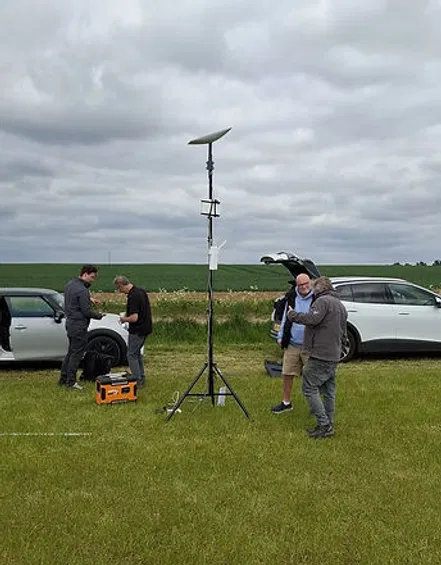
You do not need to turn your event team into network engineers.
The testing process can be managed around a few clear stages.
1. Agree the expected peak
Define the busiest realistic number of people and devices. Include staff, suppliers, exhibitors and operational equipment.
Then add headroom. Testing at or above the expected peak helps expose problems before the event. For high-risk services, a test at 150% of expected peak demand can provide a useful safety margin.
2. Mix different types of traffic
A realistic test should include more than downloads.
It may include:
Short web and API requests
Ticket lookups
Payment transactions
App synchronisation
Uploads and downloads
Video or live-stream traffic
Repeated connection attempts
Devices moving between coverage areas
This matters because latency and connection stability can be just as important as headline download speed.
3. Watch the right results
During the test, monitor:
Connection drops
Slow authentication
Failed scans
Payment timeouts
Latency and response times
Device numbers per access point
Congestion in busy areas
Roaming performance
Uplink capacity
Backup link behaviour
A network that briefly slows down may be recoverable. A network that repeatedly drops critical devices at the entrance needs attention before show day.
4. Fix, retest and document
Load testing is not a pass-or-fail exercise completed once.
If the test reveals a congested area, the answer might involve repositioning equipment, adding capacity, separating traffic, adjusting priorities or changing the way applications connect.
After each change, test again. Keep a simple record of what was tested, what changed and what the final operating plan is.
Built-in backup turns testing into peace of mind
Testing gives you confidence in the primary network. A resilient event setup also plans for the possibility that something outside your control may happen.
That could include:
A damaged cable
Local interference
A power issue
A failed piece of equipment
An unexpected surge in demand
A problem with the primary internet connection
Backup links and failover systems should be tested, not simply listed in a plan.
The team should know:
What happens when the primary link is interrupted
Which services move to the backup
Whether ticketing and payments continue
How quickly the changeover occurs
Who receives an alert
What action is required on site
Real-time monitoring adds another layer of reassurance. It allows the support team to see rising device counts, overloaded equipment or connection issues as they develop, rather than waiting for a queue of complaints.
How Commsuk manages load testing
At Commsuk, load testing is part of our managed event connectivity service.
We look at the event as a complete working system: from the initial planning and site survey through to installation, live monitoring and teardown.
That includes understanding your expected device density, identifying peak moments and testing the services that matter most to your team. We can validate ticketing, payment and operational workflows under realistic conditions, then make adjustments before guests arrive.
Our systems are designed for rapid deployment in locations where traditional connectivity may not be practical. Whether you are running a small pop-up or a large outdoor event, we provide ultra-fast setup, built-in backup options and hands-on support throughout the event.
The goal is straightforward: reliable event WiFi with no avoidable dead zones, fewer surprises and a team monitoring the connection while you focus on the event itself.

Event WiFi load testing checklist
Before the doors open, confirm that you have:
Estimated attendees, staff, exhibitors and operational devices
Modelled the busiest expected device density
Identified peak moments such as opening, intervals and last orders
Tested more than basic internet speed
Rehearsed ticket scanning under realistic demand
Rehearsed payment terminals working together
Protected critical systems from general guest traffic
Tested devices while moving between coverage areas
Checked latency, connection drops and application timeouts
Tested backup links and failover
Enabled live monitoring and alerts
Documented who responds if performance changes on the day
A quiet venue can make any network look good. Load testing shows what happens when the event becomes real.
That preparation is what turns event Wi-Fi from something you hope will work into infrastructure your team can rely on.
Comments