7 Mistakes You're Making with Staff WiFi at Large Events (and How to Fix Them)
At a large event, staff WiFi is not a nice-to-have. It supports the systems your team relies on to keep the day moving: ticket scanning, check-in, payments, production communications, guest services, security updates and internal coordination.
Yet staff connectivity is often planned last. A network may work perfectly during an empty-site test, then slow down or fail completely once thousands of guests arrive and every phone, tablet and laptop starts competing for access.
The good news is that most staff WiFi problems are preventable. Here are seven common mistakes event organisers and production teams make, along with practical ways to fix them.
1. Treating staff WiFi as an afterthought to guest WiFi
One of the most common mistakes is designing the guest network first and assuming staff can simply use the same connection.
That approach gives the most important users the least protection. Your guests may only need to browse, message friends or post on social media. Your staff may need to scan tickets, process payments, update schedules or coordinate a live production.
These are very different requirements.
If staff WiFi is added at the last minute, you may also find that:
Staff areas have not been included in the coverage plan
There are not enough access points for operational spaces
Staff devices have to compete with general guest traffic
No one has confirmed which systems need priority
The network does not have enough capacity at peak times
The fix: plan staff connectivity as critical infrastructure
Start by mapping every staff workflow before equipment is ordered. Include registration desks, ticket gates, production offices, security points, dressing rooms, loading bays, hospitality areas and staff welfare spaces.
Then list the devices and services each team needs. A production office may require laptops, tablets, cloud-based schedules and video calls. A ticketing team may need scanners and mobile printers. Security may need phones, tablets or connected control systems.
Your event WiFi plan should give these users their own network design, rather than treating staff as an extension of the guest network.
2. Letting staff and guests share one network or SSID
A single shared SSID may appear simple, but it creates congestion and security problems.
Every user and device is effectively competing in the same space. A few guests streaming video or uploading large files can affect staff systems. A badly configured device can create interference. A guest device could also gain visibility of systems that should only be accessible to authorised crew.
Even when the internet connection itself is fast, the local WiFi can become crowded. This is particularly likely at festivals, exhibitions and corporate events where many people carry more than one connected device.
The fix: separate the traffic into dedicated networks
Use separate SSIDs and network segments for different user groups. For example:
Staff or production WiFi: for organisers, crew and approved contractors
Ticketing and payments: for scanners, point-of-sale devices and check-in systems
Exhibitor WiFi: for stands, demonstrations and business operations
Guest WiFi: for general attendee access
This means guest activity does not automatically compete with operational systems. It also allows different security rules and bandwidth policies to be applied to each group.
Your staff SSID does not need to be widely advertised. It can be protected with strong credentials and shared only with the people who need it. Guest traffic should be isolated from internal systems wherever possible.
Network separation is also an important part of a secure event setup. Our guide to locking down event WiFi security explains why guest and business traffic should not be left on the same digital “lane”.
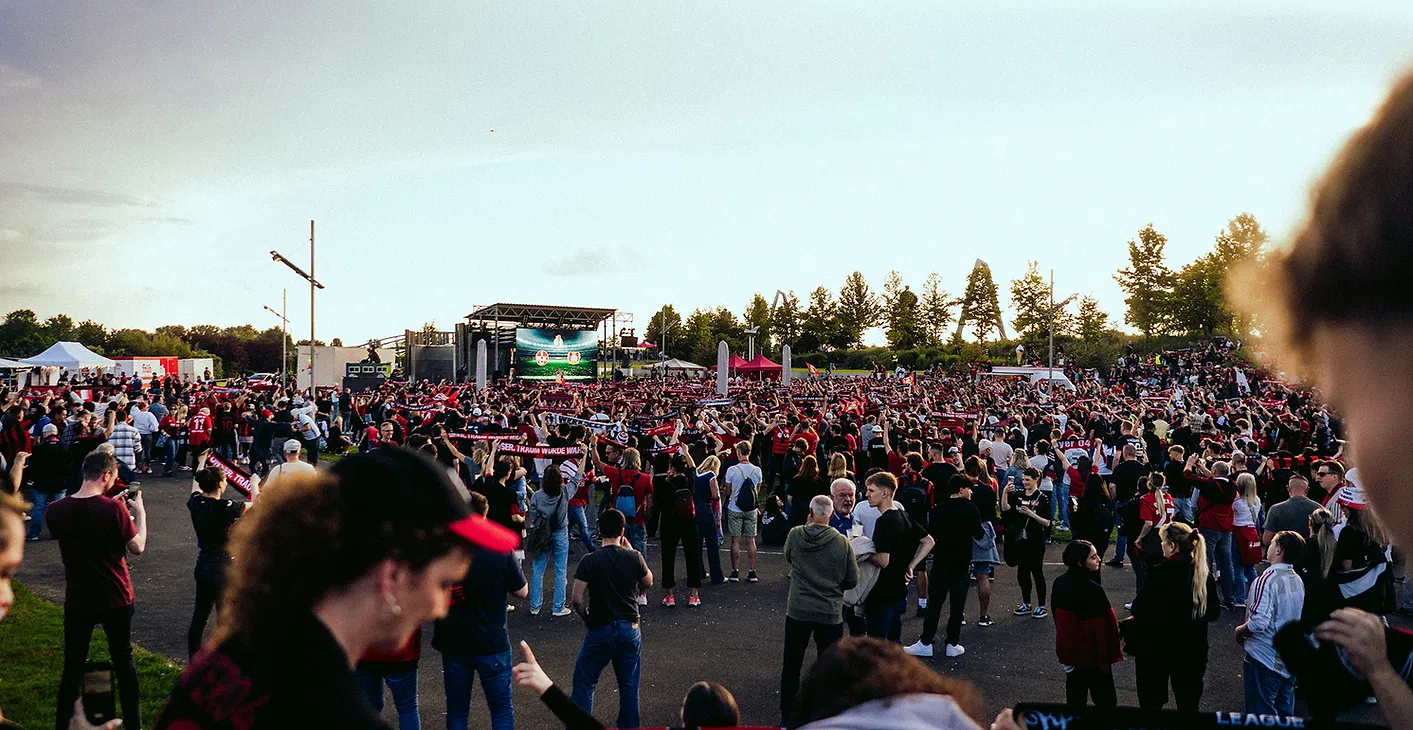
3. Not reserving bandwidth for ticketing, payments and communications
Another mistake is assuming that all traffic can be treated equally.
It cannot.
A guest streaming a video is inconvenient if their connection slows down. A ticket scanner that cannot verify an entry pass can create a queue at the gate. A payment terminal that times out can hold up a bar or exhibitor stand. A production team unable to access a running order or communication platform can create much bigger problems.
The risk increases when critical systems are connected to a “best effort” network with no traffic prioritisation.
The fix: identify and prioritise mission-critical services
Before the event, make a short list of the services that must keep working even when demand is high. This may include:
Ticketing and check-in scanners
Card payment terminals and cashless payment systems
Staff scheduling and event management platforms
Production communications and dispatch tools
Security and incident-reporting systems
Show control, monitoring or remote access tools
Ask your connectivity provider how these services will be protected. Depending on the setup, this could include dedicated SSIDs, separate network segments, traffic prioritisation or reserved bandwidth.
Also consider how many devices each member of staff will use. One crew member may have a phone, tablet and laptop. Capacity planning based only on headcount can underestimate the real demand.
4. Leaving coverage gaps backstage and behind the scenes
It is easy to focus on the areas guests can see. Organisers often test the entrance, main hall or audience area, but forget that the event also runs in less visible locations.
Backstage, dressing rooms, loading bays and production offices can be just as important as the public-facing spaces. They may contain the people and systems responsible for keeping the event running.
Coverage can be affected by:
Temporary walls, staging and exhibition structures
Metal containers, vehicles and equipment cases
Thick venue walls or underground areas
Marquees and multiple buildings
Long distances between the public site and operational areas
Access points positioned for appearance rather than performance
A staff member should not have to leave a production office or stand outside a loading bay to send an urgent update.
The fix: survey and test the whole working site
A proper site survey should include every location where staff need to work, not just the main audience areas.
After installation, walk-test the network with real devices. Check the areas where staff will actually stand, move and work. Test during build, when structures are in place, and again as close to show conditions as possible.
Do not rely only on a venue’s existing coverage map. It may not reflect temporary event structures, peak device numbers or the exact location of your ticketing desks and production offices.
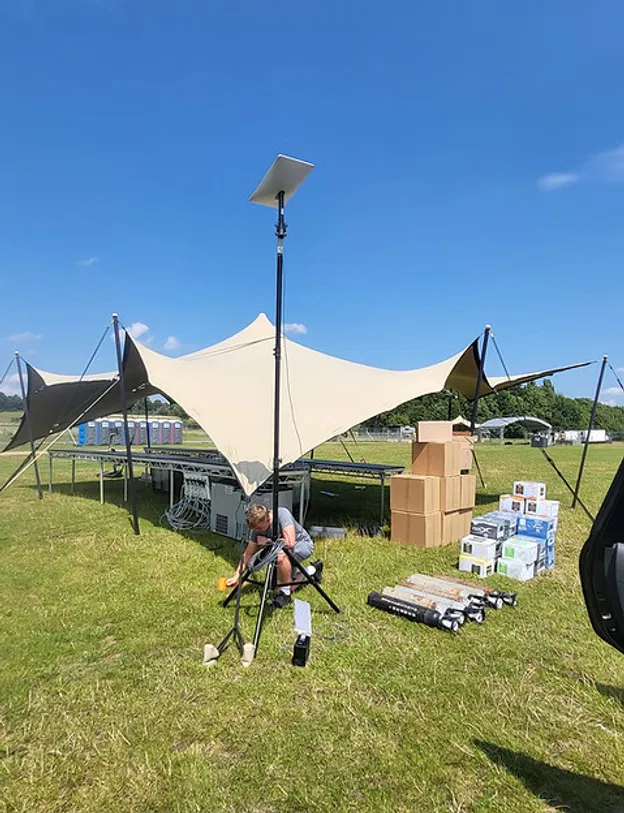
5. Having no failover if the primary connection drops
Even a carefully designed primary connection can be affected by a damaged cable, a power problem, local infrastructure failure or an upstream service issue.
If there is no backup, a single fault can take down staff WiFi and the systems connected to it. At a live event, there may be no convenient time to stop, investigate and rebuild the connection.
This is especially serious for events that depend on digital ticketing, card payments or continuous production communications.
The fix: build in a backup connection
Ask for a failover plan before show day. Depending on the venue and location, this could involve:
A second connection from a different provider
4G or 5G backup
Satellite connectivity for remote or rural locations
Separate power protection for essential network equipment
Automatic or quickly managed switching between connections
The backup does not necessarily need to carry every guest device. It may be more practical to protect the staff, ticketing, payments and production networks first.
For remote events, satellite internet can provide connectivity where traditional services are unavailable. The important point is to choose a backup based on your site conditions and the systems that cannot afford to go offline.
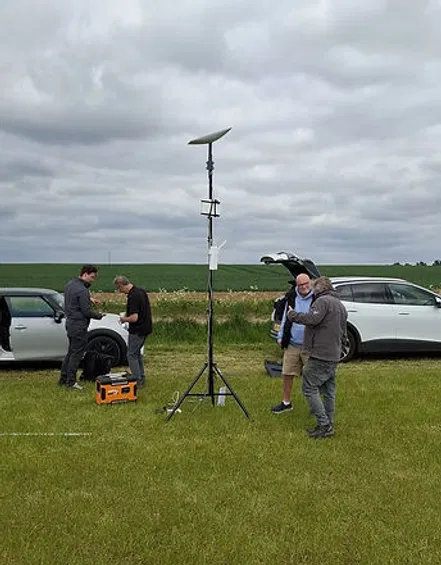
6. Relying on venue WiFi or 4G dongles that nobody monitors
Venue WiFi can be useful for basic browsing, but it may not provide the control, coverage or capacity needed for a large event. You may not know how much bandwidth is shared with other users, where the access points are located or what support is available if something fails.
Small 4G dongles can also be helpful as individual backups, but they are not a complete staff WiFi strategy. They may have limited data, inconsistent signal, restricted capacity or no central visibility.
The biggest problem is not always the technology itself. It is the lack of monitoring.
If nobody is watching the network, you may only discover there is an issue when a staff member reports it, a queue forms or a payment fails.
The fix: use active monitoring and clear support arrangements
Your provider should be able to monitor the network during the event and identify problems such as:
Congested access points
Unusual bandwidth spikes
Connection failures
Coverage or roaming issues
Interference from unmanaged equipment
Problems with the primary or backup link
Agree who will respond, how quickly they will respond and how they can be reached during the event. A phone number that goes unanswered is not a support plan.
As we explain in our article on why event connectivity needs a human touch, live monitoring and experienced support can identify issues before they become visible to your guests.
7. Having no clear owner for connectivity on the day
Connectivity often falls between departments. The production team assumes the venue is managing it. The venue assumes the organiser’s IT provider is responsible. The ticketing supplier assumes the network team is monitoring the scanners.
When something goes wrong, everyone spends valuable time working out who should act.
The fix: assign one connectivity owner
Before the event, name the person or team responsible for the network. Make sure they know:
What the staff SSID is and who can access it
Which systems are mission-critical
How to contact the connectivity provider
Where the network equipment is located
What the failover process is
Who has authority to approve changes
How problems should be escalated
Share a simple connectivity brief with production, ticketing, security, venue operations and suppliers. It does not need to be technical. It just needs to make responsibilities clear.
If the network is fully managed, the provider should take responsibility for planning, installation, monitoring and troubleshooting, while your nominated event lead remains the main point of contact.
A simple staff WiFi check before show day
Before your event opens, confirm that:
Staff WiFi has been planned separately from guest WiFi
Staff, guest, exhibitor and critical systems use appropriate network separation
Ticketing, payments and production tools have priority
Backstage, dressing rooms, loading bays and offices have been tested
A backup connection is available and has been tested
Someone is actively monitoring the network
Everyone knows who owns connectivity on the day
Reliable staff WiFi should make your event easier to run, not create another problem for your team to manage.
At Commsuk, we provide dedicated staff SSIDs, network separation, site surveys, live monitoring and backup connectivity for events of all sizes. From a corporate event to a large outdoor festival, we manage the connection from pre-event planning through to teardown, so your team can focus on delivering the day.
The article’s point about keeping staff Wi-Fi reliable made me think about 192.168.0.1, which identifies the router on a local network and helps devices reach its management interface. That leads naturally to Router Admin for configuration and security settings.