Bonfire Night and Fireworks Events: Why Temporary Sites and Big Crowds Are a WiFi Stress Test
By mid-October, plans for Bonfire Night are already taking shape. Gates, food stalls, stewards and safety arrangements all need to come together for one busy evening. Connectivity should be part of that plan too.
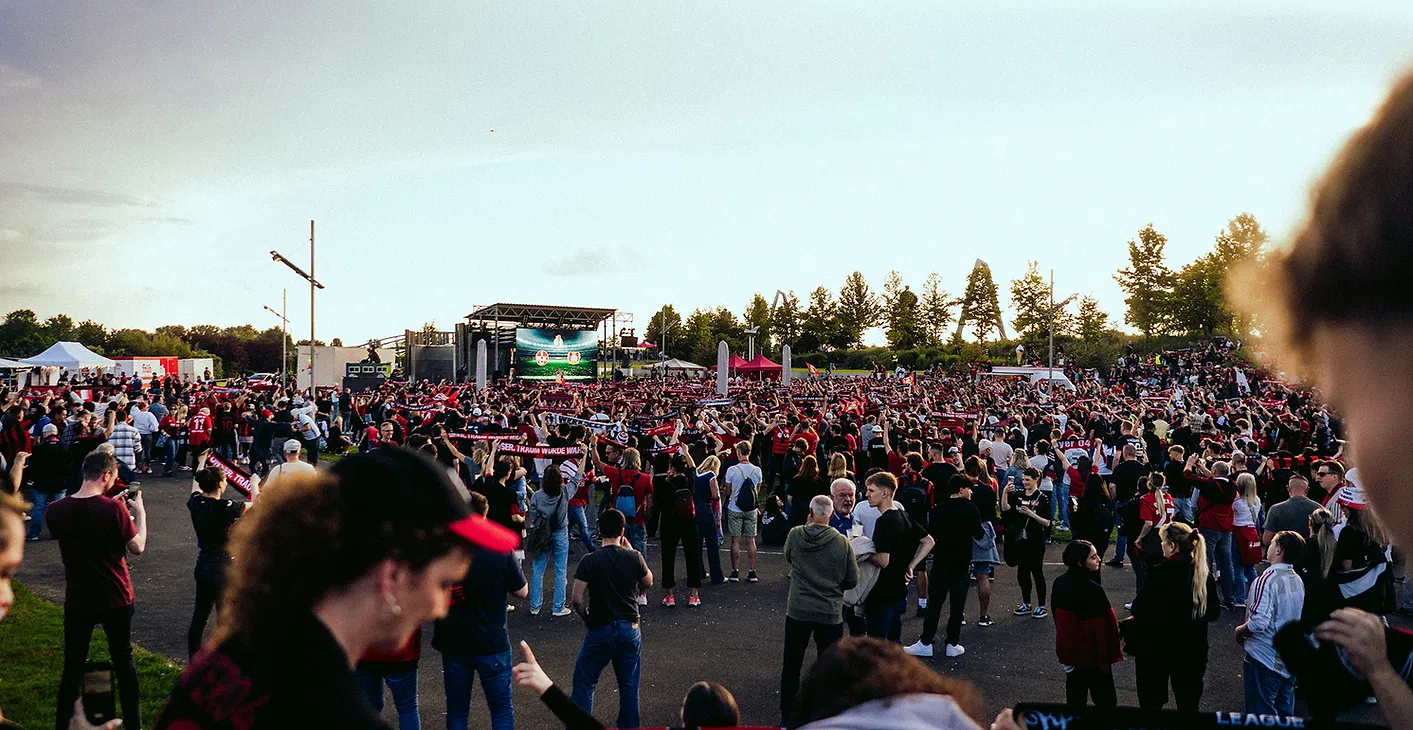
A fireworks event is a particular test for event WiFi. It may run for only a few hours, but during that time a large crowd can arrive within a short window, buy food and drink, scan tickets, contact friends and share the display online. Meanwhile, the event team needs its own systems to keep working.
And unlike a permanent venue, a field or temporary site may have no useful internet infrastructure at all.
One night. A lot of pressure.
Temporary sites often need connectivity built from scratch. There may be no fixed broadband, limited mobile coverage, long distances between event areas and few convenient places to install equipment. A site that looks open and simple on a map can have practical complications once you factor in entrances, marquees, stages, stalls and vehicle routes.
Then the crowd arrives.
Ticket scanners at multiple gates need a reliable connection during the busiest part of the evening. Food and drink sellers need card payments to work when queues build. Event control, stewards, first aid and security need dependable ways to pass information. Production teams may also need access for show systems, streaming or sponsor content.
One shared connection, or a few routers set up without a plan, may not be enough. Reliable event connectivity starts with understanding which systems matter, where they’ll be used and when demand will peak.

The busiest moment may be the display
When the fireworks start, thousands of people may reach for their phones at almost exactly the same time. They’ll take photos, send messages, check social media or try to upload video. At a concentrated outdoor event, mobile networks can become congested, even where there’s a mobile signal.
That is an important distinction: a signal on your phone does not guarantee a fast, dependable connection at peak crowd levels. The Ofcom mobile coverage checker is useful for checking baseline coverage, but a map cannot tell you exactly how a busy event site will perform during a short, intense demand spike.
Planning an event Wi-Fi network can help support the systems you control. It does not automatically increase public mobile capacity, nor does it mean every visitor should rely on public Wi-Fi. The first priority is protecting essential event operations: ticketing, payments, staff access and production systems.
Keep critical systems out of the crowd’s way
Ticket scanners and payment terminals may not need huge amounts of bandwidth, but they do need a stable connection and access to the services they rely on. If they’re competing with guest devices and high-volume uploads on an unmanaged network, a minor connection problem can quickly become a queue at the gate or a stalled food stall.
A considered event Wi-Fi planning process separates use cases. Ticketing, payments and operational systems should be designed around their locations, device numbers and busiest periods. Staff and production requirements should be considered separately from guest access.
That’s where staff WiFi and production WiFi come in. Stewards, event managers and site teams may need access to cloud systems or coordination tools. Production may need network access for show control, streaming or sponsor content. For safety-critical communication, WiFi and mobile data should not be the only plan: two-way radios and clear backup procedures can provide an important alternative.
The HSE’s guidance on incident and emergency planning highlights the importance of effective communication and backup arrangements. Agree who communicates with whom, and what happens if a usual channel is unavailable.
Cold, damp and dark add extra complications
Bonfire Night is not a summer festival. Rain, wind, mud and low light can make installation, monitoring and troubleshooting harder. Equipment and connectors need suitable protection; cables need to be routed safely; and temporary power arrangements should be considered as part of the network plan.
Weather can also change how people use a site. Guests may cluster under marquees or around covered stalls, while staff need to keep working across the grounds. Equipment locations that seem fine in daylight may be awkward to access once it’s dark and the event is live.
A site survey helps identify those details before build day. It gives the connectivity team a chance to assess the layout, suitable equipment positions, power and cabling routes, likely coverage needs and any constraints around access or weather protection. For remote or poorly served sites, satellite internet or other temporary connectivity may provide a practical way to bring a connection to the location.

A practical pre-event checklist for one-night events
Before the build begins, work through these questions with your event and connectivity teams:
Map the site. Mark every gate, ticket-scanning point, food and drink area, production zone, first-aid point and event-control location.
List the connected systems. Include scanners, payment terminals, staff devices, production equipment, streaming and sponsor content.
Estimate the busy periods. Consider when guests arrive, when queues will be longest and when the display may prompt a surge in phone use.
Confirm the internet source. Check what is available at the location and whether satellite or another temporary connection is needed.
Separate critical traffic. Plan for ticketing, payments, staff and production requirements instead of assuming one shared network will suit everyone.
Agree communications fallbacks. Check radio arrangements, contact lists, spare batteries and escalation steps with relevant teams.
Plan for the conditions. Review weather protection, safe cable routes, temporary power, lighting and access to equipment after dark.
Test before opening. Check connections at gates and stalls using the actual devices and applications, not just a signal-strength check.
Decide who monitors the network. Make sure someone can spot and respond to issues during the live event.
Plan teardown. Confirm when equipment can be safely removed and how site access will work after the crowd leaves.
A one-night event still needs a complete connectivity plan. The setup may be temporary, but the consequences of an outage are very real.
Managed from survey to teardown
For event organisers, the aim is simple: spend the evening running the event, not diagnosing the WiFi. A fully managed service can take care of the work around the connection as well as the connection itself: site survey, equipment planning, installation, on-site monitoring, backup arrangements and teardown.
Commsuk provides temporary connectivity for events of different sizes and locations, including satellite internet where it suits the site. Our team plans around the operational requirements, then stays involved while the event is live.
If you’re planning a fireworks event this November, now is a good time to check the site, systems and support arrangements. See our guide to satellite internet at remote events and our advice on weather and outdoor event WiFi, or contact Commsuk to discuss your event.
The fireworks may last only a few minutes. Your connectivity plan should be ready well before the first ticket is scanned.
Comments