Guests, Staff, Production, and Payments: Why Your Event Needs Four Separate Networks (Not One Big One)
A single shared Wi-Fi network can look like the simplest option: one password, one connection, everyone online. But at a busy event, guests checking social media, crew coordinating a changeover, a livestream uploading video and a card terminal waiting for authorisation are all asking the same network to do very different jobs.
When that network gets busy, the most important services can end up competing with casual browsing. And when everyone shares the same access, it is harder to control who can reach which systems.
A better approach is to plan four distinct networks: guest Wi-Fi, staff Wi-Fi, production Wi-Fi, and payments and ticketing. They can share some of the same physical infrastructure, but they should have clearly separated traffic, access rules and bandwidth plans.
Four networks, four different jobs
Think of your event connectivity as four managed lanes, not four entirely separate internet connections. A network specialist can often use the same access points, switches and internet feed while separating traffic through technologies such as VLANs and firewall rules.
A Wi-Fi name, or SSID, is what a user selects on their device. A VLAN is one way to keep that network’s traffic logically separate from others. The important point is that separation must be properly configured and enforced; simply giving networks different names is not enough.
1. Guest Wi-Fi: convenient access, with clear boundaries
Guest Wi-Fi is for attendees who want to check messages, browse the event app or share a photo. Its job is to offer a useful service to visitors without giving their devices access to staff systems, payment terminals or production equipment.
That means setting appropriate limits and enabling controls such as client isolation, which can prevent guest devices from communicating directly with one another. Where a captive portal is used, be clear about what information is collected, why it is collected and how it will be used. Keep the guest experience straightforward, and avoid collecting information you do not need.
Guest Wi-Fi may account for a large number of devices and unpredictable bursts of use. It should be planned for that demand, but it should not be allowed to overwhelm operational traffic.
2. Staff Wi-Fi: for the people running the event
Staff Wi-Fi supports organisers, stewards, contractors and other authorised crew. They may need to use messaging tools, event-management systems, schedules or cloud services across the site.
This is the staff-versus-guest split explored in our companion guide to staff Wi-Fi at large events. It is an essential part of the picture, but it is not the whole design: staff connectivity also needs to be kept distinct from production and payment systems.
Access should be limited to authorised users, with suitable credentials and coverage in the places staff actually work. A strong guest signal in the arena is no help if the production office, loading area or ticket gates are left with dead zones.
3. Production Wi-Fi: for show-critical technology
Production connectivity supports the systems that create and manage the event: for example, show-control tools, communications, presentation systems and, where wireless is appropriate, video or audio workflows.
Not every production system should rely on Wi-Fi. Wired connections are often preferable for equipment that needs a stable, predictable link, such as a streaming encoder or control desk. But wireless production devices still need a dedicated, planned route that is not competing with public browsing.
Production traffic can be demanding, particularly for a hybrid event or live stream. Planning should account for the required upload capacity, latency, equipment and busiest moments, not just the number of people in the room. Our guide to hybrid event networks explains why streaming and general guest access need different treatment.
4. Payments and ticketing: a protected operational lane
Card terminals, cashless systems, ticket scanners and check-in devices keep money moving and queues under control. Their traffic is usually modest compared with a livestream, but it needs to be dependable and should not be delayed by a surge in guest use.
Where practical, connect fixed payment and ticketing equipment by cable. For mobile devices, use a dedicated, access-controlled network segment with tightly restricted rules about what it can communicate with. Avoid allowing general guest devices to reach payment or ticketing equipment.
Payment security is not achieved simply by creating a separate SSID or VLAN. The PCI Security Standards Council’s guidance on scoping and network segmentation explains that segmentation must be effective and verified; it does not automatically make a system compliant or remove it from PCI DSS scope. Confirm requirements with your payment provider or assessor, and design the network around the actual payment setup.
Separation protects performance as well as security
A busy guest network can consume airtime and internet capacity just when staff need to scan tickets or production needs to send a live feed. Network separation allows the team to apply different access rules and traffic policies to each use.
That does not mean every network needs its own broadband line. It means the design can set sensible priorities and limits. For example, guest traffic might be capped per device or managed as best effort, while critical ticketing and payment traffic receives appropriate priority. Production can have reserved capacity for a planned stream or show-control requirement.
The details depend on the venue, equipment and applications. A payment transaction does not usually need a huge amount of bandwidth, but it does need a responsive, stable path. A livestream may need sustained upload capacity. Staff may need coverage across operational areas, while guest demand can rise sharply at doors open or during a headline moment.
This is why bandwidth should be budgeted by network and use case, rather than divided evenly or estimated from attendee numbers alone. Consider how many devices each team will use, what each system does, and when demand is likely to peak. Then test the important workflows under realistic conditions.

Plan for privacy, access and failure
Separate networks make it easier to apply the right protections to the right users. Guest devices should not have access to internal services. Staff access should be limited to authorised people. Production equipment should only be able to reach the systems it needs. Payment and ticketing traffic should be isolated and controlled in line with the requirements of the systems and providers involved.
Privacy needs thought, too. If your guest Wi-Fi asks people to provide details or agree to marketing, explain clearly what you are asking them to do and how their information will be used. Keep guest data separate from operational access, and involve the appropriate privacy or data-protection lead when planning collection and retention.
Finally, a sound network plan considers what happens if the primary internet connection has a problem. Identify which services must be protected first, and decide how backup connectivity will be used. Test the failover plan, not just the main connection.
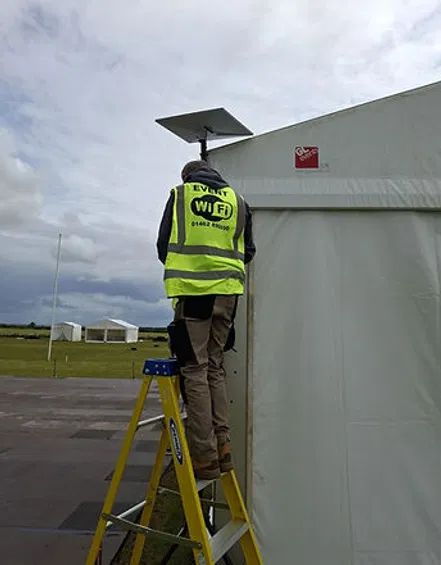
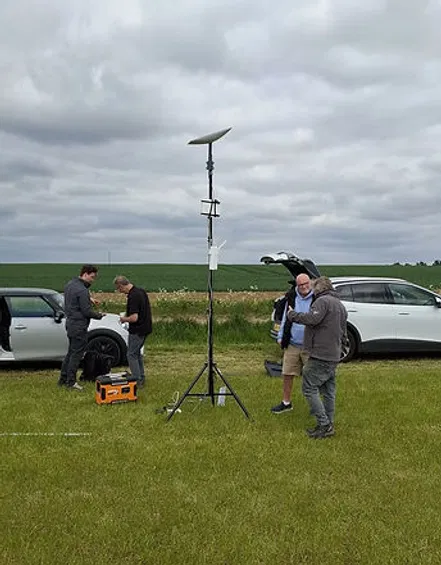
A site survey helps account for the actual event layout, structures, power and coverage requirements before installation. That is particularly important at temporary or rural sites, where the right combination of satellite, mobile or other connectivity depends on local conditions.
One event, four planned networks
A four-network design does not have to mean four complicated systems for your team to manage. The technical setup can be handled behind the scenes; the benefit is that each group gets connectivity suited to its job, with sensible boundaries and priorities.
For event Wi-Fi planning, start by mapping who needs to connect, what they need to do and which services cannot afford to stall. Then plan guest, staff, production, and payments and ticketing as distinct parts of the wider event connectivity design. For hybrid events, include the stream and its upload needs from the outset.
At Commsuk, we plan, install and monitor managed connectivity for events of all sizes, with built-in backups where appropriate. Talk to our team about a network plan that lets guests get online while your crew, production and payment systems keep doing their jobs.
Comments