Is Your Event WiFi Ready for AI? 5 Checks Every Organiser Should Run Before Show Day
AI is becoming part of the event experience.
In 2026, event apps are doing much more than showing a timetable. They are becoming digital assistants: taking live notes, creating personalised agendas, recommending people to meet, powering smart badges and updating attendees in real time.
That sounds useful. It is, provided your network can keep up.
The problem is that AI-driven event tools often rely on continuous communication with cloud platforms. They need stable upload and download capacity, low latency and dependable access across busy spaces. A network that was fine for email and basic browsing may struggle when hundreds of people open an AI assistant at the same time.
So, before show day, run these five checks.
1. Map every AI and digital use case
Start with the event experience, not the WiFi equipment.
Write down every system that will depend on connectivity. This should include the obvious services, such as ticketing, payments and your event app, but also the newer tools that can quietly create significant network demand.
Consider whether your event will use:
Live note-taking, transcription or translation
Personalised agendas and session recommendations
Real-time attendee matchmaking
Smart badges or location-based networking
AI-powered chat assistants
Live polling, Q&A or audience interaction
Cloud-based exhibitor demonstrations
Hybrid event streaming and remote participation
Digital signage or live results screens
Staff communication and production systems
The key question is: what happens if the connection slows down?
If an attendee cannot load a recommendation, that may be frustrating. If your check-in team cannot validate tickets, a queue can form quickly. If your production team loses access to show control systems or a presenter’s AI demonstration freezes, the impact is much bigger.
Share this use-case list with your connectivity provider and venue IT team. “We might use AI” is not enough information. They need to know what the tools will do, when they will be used and which systems are mission-critical.
For more on preparing a network around the location itself, see our guide to why a site survey matters before the first cable is run.
2. Plan for devices and peak demand, not headcount
The number of guests is only the starting point.
Most attendees arrive with at least one phone. Many also bring a laptop, tablet, smartwatch or work device. Exhibitors may have several devices at each stand, while your production team could be running laptops, tablets, cameras, control systems and streaming equipment.
That means 500 attendees could easily create 750 to 1,250 connected devices.
Now add the busiest moments:
Doors opening and everyone downloading the event app
A keynote prompting the audience to try an AI tool
A live poll with hundreds of simultaneous responses
A popular exhibitor demonstrating a cloud platform
A break when attendees refresh agendas and message contacts
A livestream or hybrid session requiring reliable upload capacity
Your event WiFi plan should be based on concurrent use during these peaks, not the average number of people connected across the day.
Ask your provider:
How many devices can the network support at once?
What bandwidth is available during peak periods?
How much upload capacity is reserved for streaming and interactive tools?
Has the setup been load-tested in a comparable venue?
Is there enough headroom for unexpected demand?
A common mistake in venue WiFi planning is to focus on the advertised maximum speed. That figure may describe the connection in ideal conditions. It does not tell you how the network will behave when hundreds of users connect across several halls, marquees or outdoor zones.
3. Check coverage, density and latency
A strong signal in the registration area does not mean the whole event has reliable connectivity.
AI tools and event apps need more than a connection that appears on a device. They need a connection that remains stable while people move around, crowds gather and demand changes.
Walk through the event plan and identify the areas that matter most:
Registration and ticketing points
Main stages and session rooms
Exhibition halls and sponsor areas
Networking lounges
Catering and payment zones
Production offices and backstage areas
Outdoor routes, entrances and overflow spaces
The AV desk and streaming positions
A site that works perfectly when empty may behave very differently once it is full. People, temporary structures, screens, trussing, vehicles and production equipment can all affect coverage and performance.
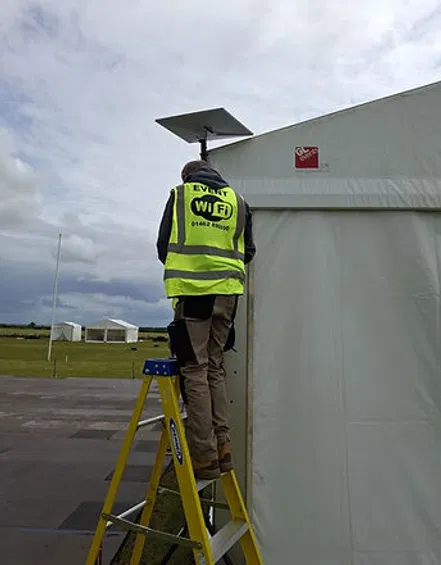
This is where access point placement and channel planning matter. High-density areas may need additional access points rather than simply increasing the power of one device. Critical spaces may need wired connections, particularly for production equipment, live displays and streaming encoders.
Do not test only download speed. Check:
Latency
Upload speed
Connection stability
Handover between coverage areas
Performance with multiple devices connected
Coverage at the edges of the site
Performance inside marquees and temporary structures
For interactive platforms, even relatively light applications can be affected by other traffic. CrowdComms, for example, recommends allowing for simultaneous uploads during live polling and keeping data-heavy services on a dedicated connection. You can read its event WiFi and data requirements for a useful example of how traffic adds up.
4. Separate staff WiFi, production WiFi and guest traffic
One shared network is rarely the right answer for a high-stakes event.
Attendee browsing, social media uploads and app traffic should not compete directly with the systems running your event. If the guest network becomes busy, your ticket scanners, payment terminals, production laptops or AI-powered event tools should still have access to the resources they need.
At a minimum, consider separate networks for:
Guests and attendees
Staff and event operations
Production and AV
Exhibitors and sponsors
Streaming or hybrid event services
Critical systems such as ticketing and access control
This is not just about creating different passwords. Proper network segmentation helps keep traffic separate and allows important services to be prioritised.
Your provider should be able to explain:
Which devices belong on each network
How critical traffic is prioritised
Whether bandwidth is reserved for production and streaming
How exhibitor connections are isolated
How staff devices are protected from guest traffic
What happens if the guest network experiences a sudden demand spike
Dedicated production WiFi is particularly important. Your stage manager, AV team and event control staff need dependable access even when the audience is uploading videos or opening a new AI feature during a keynote.
The same applies to exhibitors. A dedicated booth connection can protect product demonstrations, CRM updates, card payments and video calls from congestion elsewhere on the show floor. Our guide explains why dedicated booth WiFi matters for successful exhibitions.
5. Confirm failover, monitoring and support
AI-ready connectivity is not only about what happens when everything works. It is about what happens when something does not.
A cable can be damaged. A local mobile network can become congested. Weather or site conditions can affect an outdoor setup. A venue connection can fail at exactly the wrong moment.
That is why important events need a clear resilience plan.
Ask whether your connectivity provider can provide:
A secondary internet connection
Automatic failover
Different carriers where appropriate
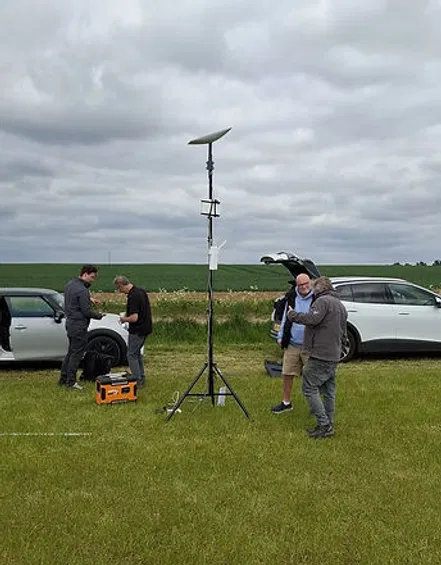
Satellite connectivity for remote or rural locations
Battery backup for essential equipment
Real-time monitoring during the event
On-site technical support
A clear escalation process with venue IT and production
A hybrid event network can combine technologies such as satellite and 4G/5G, using each where it performs best. For example, a cellular connection may provide low-latency capacity in a busy urban venue, while satellite provides a dependable alternative where fixed infrastructure is limited.
You can read more about this approach in our guide to mixing satellite and 5G for hybrid event connectivity.
Monitoring is just as important as redundancy. Someone should be watching the network during the event, not waiting for the first organiser to report a problem.
Live monitoring can highlight:
Overloaded access points
Rising latency
Devices failing to authenticate
Unexpected traffic spikes
Coverage issues
Problems with the primary connection
Failover systems that have not switched correctly
It also means your team can respond before a minor issue becomes a visible disruption.
Make your event apps more resilient too
Your network should be reliable, but your workflows should not depend on every service being online every second.
Where possible, choose tools that support offline or low-connectivity operation. Event apps may be able to cache agendas, maps and session information. Ticketing platforms may support offline scanning. Note-taking tools may record locally and upload for processing later.
These options reduce pressure on the network and protect the attendee experience if a short interruption occurs.
You should also encourage attendees to download the event app before arrival. This avoids hundreds of people trying to download it simultaneously at the registration desk.
The simple AI-readiness checklist
Before show day, make sure you can answer “yes” to these five questions:
Have we mapped every AI, event app and cloud-based use case?
Have we planned for peak concurrent devices, not just total attendance?
Have we tested coverage, latency and upload performance under realistic load?
Are guest, staff, production and critical systems properly separated?
Do we have tested backups, live monitoring and hands-on support?
If the answer to any of these is “not yet”, your event WiFi plan still has a gap.
AI is not replacing the basics of event connectivity. It is making those basics more important. Personalised agendas, smart badges, live transcription and real-time matchmaking only feel seamless when the network underneath them is stable.
At Commsuk, we manage the full connectivity journey: from site surveys and equipment planning to rapid installation, live monitoring, failover and teardown. Whether you need staff WiFi for a corporate event, production WiFi for a festival or a complete hybrid event network in a remote location, we build the solution around your site and your priorities.
If you want a reassuring answer before show day, contact the Commsuk team to discuss your event connectivity requirements.
Comments